Rebel Drum Tutor

Start learning drums the rebel way! Rebel Drum Tutor offers an innovative app that teaches drumming through real-time feedback visualization, helping you improve your rhythm and skills fast. Choose a lesson or a song, or just play along to songs or even import your own songs! Create your own beats and practice at your own pace and will. Learn Rock, Reggae, Blues, Punk, Country, learn whatever you want to whatever song you like.
Learn the rebel way!

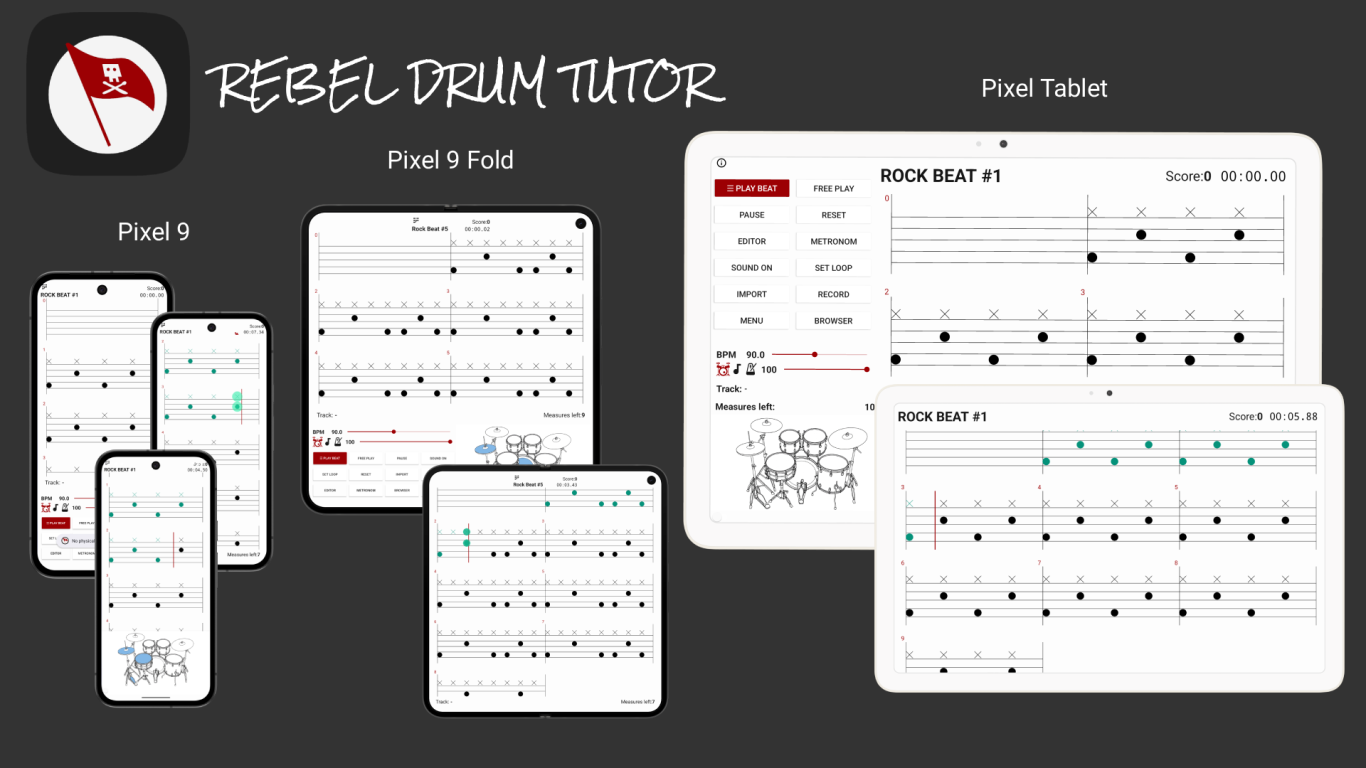
The application can read and interpret MIDI signals coming from the E Drum. Hit the drums at the right time and the note will turn green!

The Tab Editor allows you to create your own beats to exercise to. Type in beats, exercises from books or even whole songs

Drum Rebel Tutor comes with lessons, drum sheets from popular songs and even professionel produced songs to play along with. As we respect musicians no AI was involved.
• MP3 Import
Play along your own music. Even from your own band if you want. Practice alone any time on your e drum set. Be ready for the big event!
• Free play
Start playing on a blank sheet, hit the drums as you play along, and all notes will be visualized and stored, afterwards record what you played and share with family and friends or the band.
• MIDI Import
Bought some great beats and groves or even whole backtracks and you want to practice to them? No need to set them as notes as you can easily import MIDI drum files to the app and all notes will be correctly and automatic set.
And even more....
• Highscore storage
• Loop measures
• Record and share audio or screen
• Several drum kits to choose from
• In over 25 languages available!
• Output drum sounds from mobile device to the e drums
• Playback through the e drums
• No login
• No email
• No data collection!
Frequently Asked Questions
1. Does DRT support all e drum devices?
- As long as the device comes with a MIDI output port (USB) it should support it. On some devices the user may need to change MIDI/USB settings, from GENERIC to VENDOR. Please also check the product manual for more information.
2. Is it possible to hear the notes on the mobile device through the edrum?
- Yes, if supported by the edrum (MIDI Input) it is possible to hear the notes that are displayed on the mobile device/tablet through the edrum. Basically the edrum plays itself. Hearing the beat before playing helps a lot when practicing. On main menu go to settings and enable "edrum sound" checkbox and enable sound on the bottom menu of the play activity.
3. I did all the settings but RDT still does not recognize my edrum.
- Ensure that the edrum has MIDI Channel set to 10. Also check the functionality of the connecting cable. Check app settings and also ensure "edrum sound" checkbox is enabled. Otherwise read the edrum manual for more information or contact their support. If there is some kind of MIDI app installed on the mobile device this can interfere. On the mapping activity change the device by selecting the arrow down button!
4. I want to import a MIDI file but the notes are all wrong and it appears to not be a drum track.
- Some drum files were exported as piano midi files. These files are not supported. MIDI files need to be exported as drum tracks from the source software to be properly imported.
5. I want to connect my Phone to the mic input of the drum modul but my moblie device has no 3.5mm audio jack.
- In most cases the mobile device will have a USB-C port for charging. You will need an adapter that splits the port into a headphone and a USB port. But not all adapters will suit. We only recommend getting an adapter with a build in sound DAC (Digital to Analog Converter) chip.
6. Why no Bluetooth?
- We strongly recommend connecting the mobile device with a cable to the edrum. Bluetooth comes with 200ms (more or less) latency delay. This will convert into a lag and bad experience when practicing with DRT.
7. Why no Iphone/iOS support?
- It´s coming : ) Please follow us on social media to be up to date regarding future news and development.
8. I only have an acoustic drum set, can I still use the app?
- You can use the "read only" mode. This option is accesible with a long press on "Play" button in the main activity of DRT. This will visualize when to hit which note, making sure to always hit the right notes on the right time. Not only for practicing but also when playing a gig this will help keeping track of the notes. Also there are solutions on the market how to rig an acoustic set with digital triggers and make it send MIDI signals that DRT then can interpret. Hybrid drum sets may also be a solution combining analog and digital in one set.
9. What are the hardware requirements on the mobile device / tablet?
- We recommend the usage minimum a mid-range device that starts above 250 Dollars, Pounds or Euros. Also not older then two years. A decent device will help run the application smoothly, which is important when playing along to songs.
• Snapdragon 7 Gen 3, Dimensity 8300, Exynos 1480, or similar.
• 8 cores (octa-core), clock speeds: up to ~2.4–2.8 GHz for performance cores.
• ARM Cortex-A715 or newer designs
• 8 GB RAM
• Refresh rate: 90–120 Hz
But as the Application is free to try, we encourage downloading and check for yourself!
My story
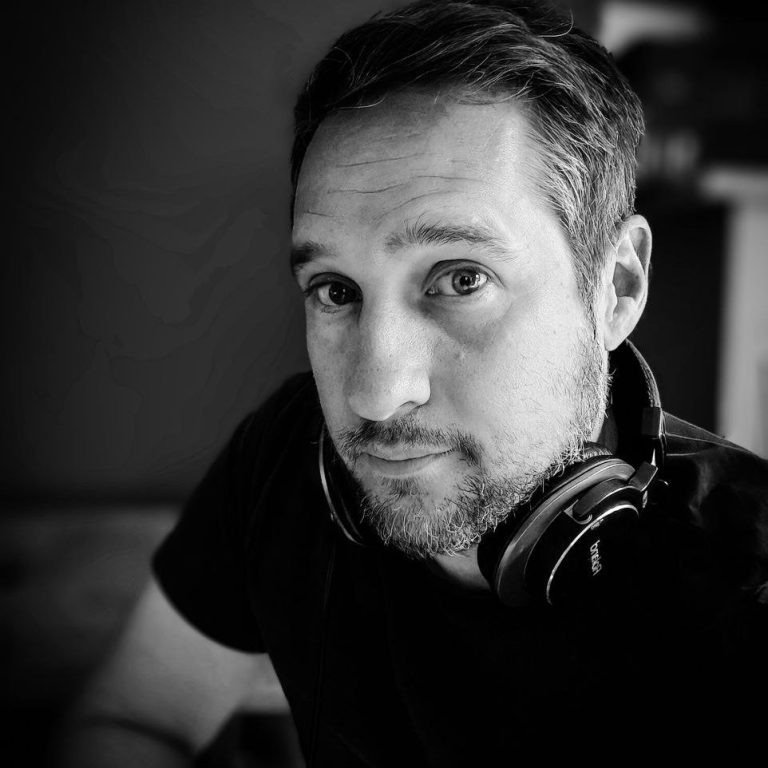
I started learning drums years ago but unfortunately had to quit relative soon due to college and family duties, one being the task of raising three young boys by myself. But the passion never went away and now with the boys grown up I started learning again. But having still no time to take proper classes, I searched for an alternative path, bought some books but had no convenient way to practice with music, to practice the exact notes from the books and hear the beat also nothing giving me feedback the way I needed! But before I again lost all my motivation I thought of making this possible, an application allowing the freedom to practice what I wanted, hearing the music that I wanted and learning the songs I wanted! To learn the drums the rebel way... now possible with the Rebel Drum Tutor App!
I hope you will enjoy it also. Be a rebel, be a rock star, be yourself...
Martin D.
(CEO) and solo software developer of RDT
It´s a long way to the top...

If you would like to contribute and build a Start Up together there is need for
• Android / iOS Developers
• Social Media and Marketing
• Support and Community Manager
• Finances Officer
• Music Content Creator and Manager
We are also open to any kind of partnership with Drummers on social networks or with edrums producers. Anyone?? : )
Update 1.1
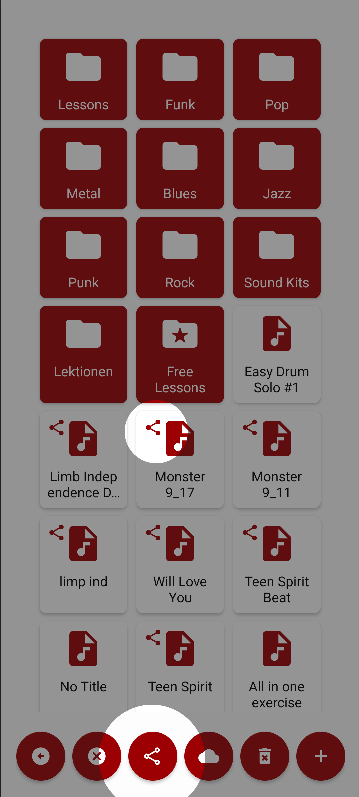
Share Content
After saving exercises or songs to the browser, the user can select the share option and send MIDI files through email or message apps to friends
Save Loops
When looping it is possible to send the loop tp the editor and save only that part of a song. This allows to practice it another time, without again have to open a song and setting a loop again.
Update 1.2
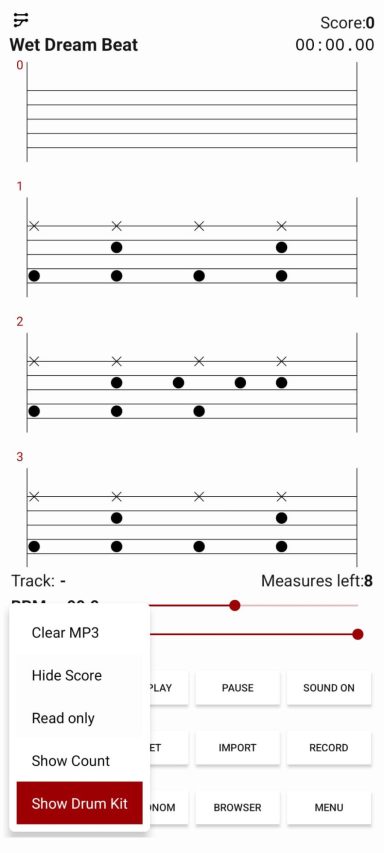
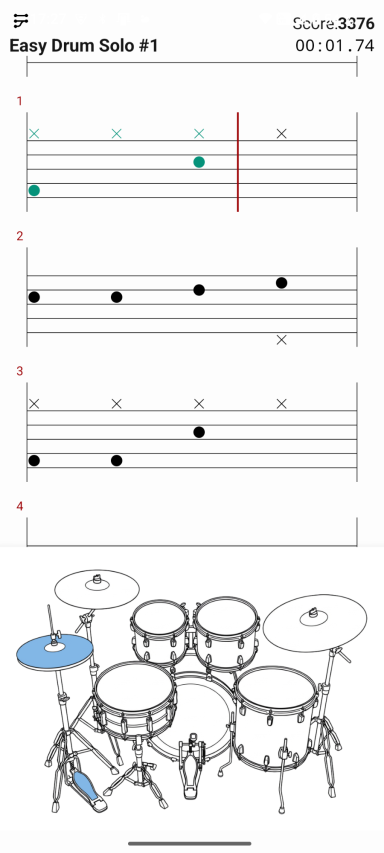
Show Drum Kit
Enable a drum kit visual by enabling it on the 'Play Beat' Menu, accessible by long clicking the button.
While playing, the drum kit shows and highlights upcoming notes. Lowering the BPM value allows following and hitting the right notes easily. Special for beginners, this is a very effective way to learn and get comfortable with the drums.
Also clicking on the instruments will trigger the sound and when playing and in snyc with the notes they will also show a hit effect. This allows to practice timing and rhythm even without a drum kit. Just using the fingers.
Statistics
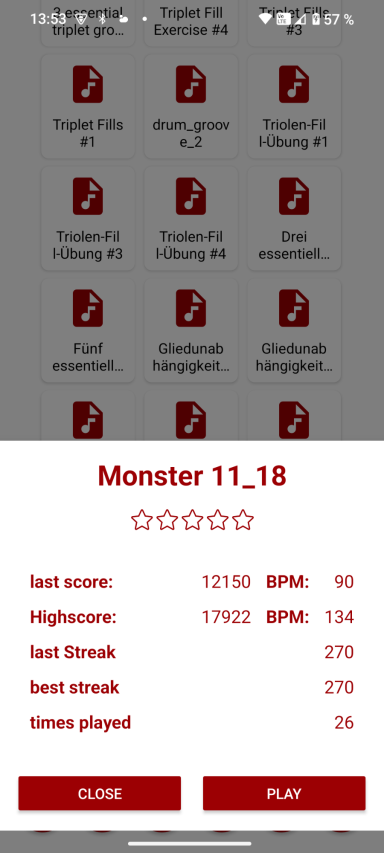
When choosing an exercise a new dialog appears showing a basic overview if already practiced, highscore, last score at which BPM, the amount of stars and best and last streak.
Update 1.3
Full Screen
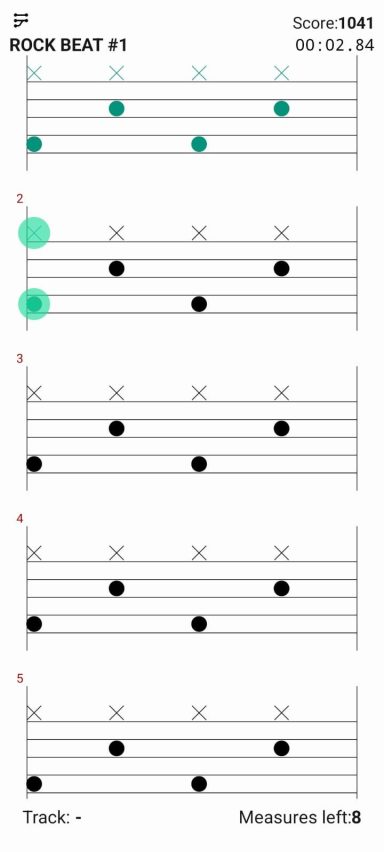
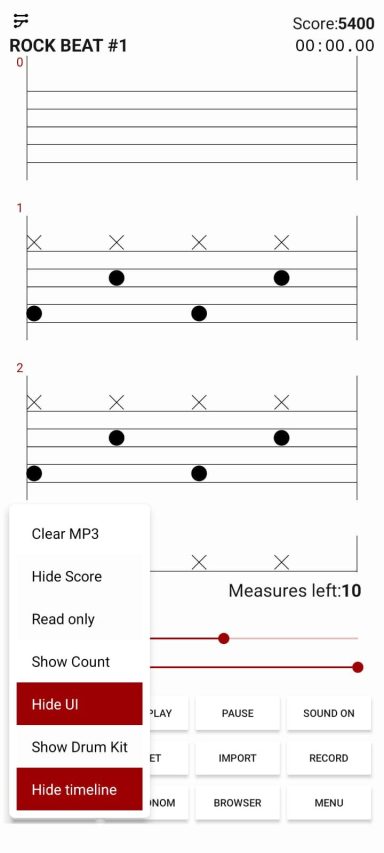
When playing the User Interface will hide showing a full view of the note sheet. This can be toggled by accessing the play menu - long click on 'Play Beat'
Bigger Visuals
This option can be toggled in the settings. Notes and measures are 1.5 times bigger then usual.
Hide Time Indicator
Play along without the time indicator. Practice being on beat without the help, this will sharpen your timing and drumming skills. Together with 'Free Play' Mode two new innovative learn modes are implemented.
Time statistics added
Time for each beat is tracked and is shown on the beat dialog in the file browser. Last session time will be displayed as also the overall time practicing that beat
Update 1.4 and 1.5
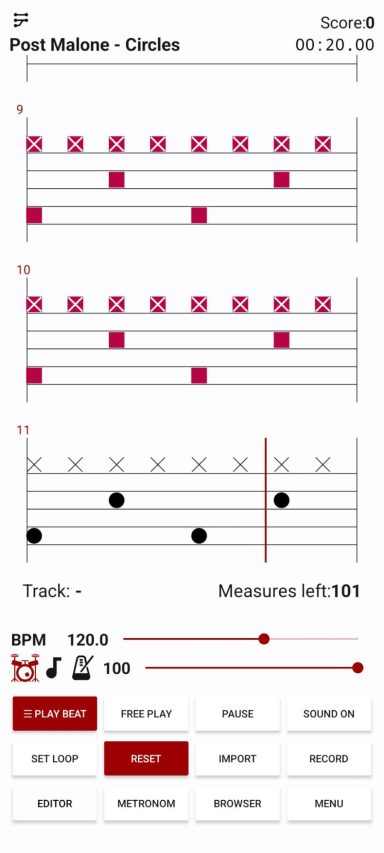
Square Notes
Users with color vision deficiency (CVD) can now better distinguish between notes hit and notes dismissed.
This option is available in the Settings, when toggled missed notes turn to squares.
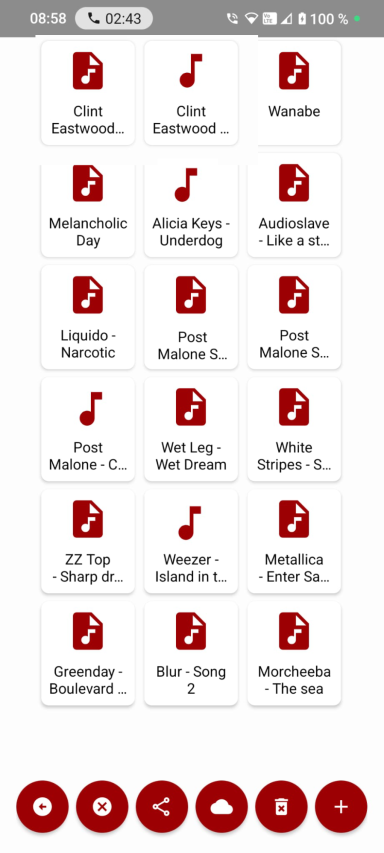
Import files are saved in the App Browser
MIDI Imports can now be saved and edited on the tabs editor. Also the import function for has been improved and allow for a wider variety of midi files.
Opus and .ogg files import is supported
Audio Import function and audio player were improved and opus files are now supported. Also a reference file is saved to the App Browser, when selected it opens the audio file directly already trimmed to the notes.
New Layouts
Pixel Fold Layout added, and tablet layout improved. Both now support drum kit with preview of upcoming notes
Roadmap
AI Implementation
Imported songs will have drums automatically removed. Also notes for the drums will automatically be set
Kids mode
New User Interface with bright colors where notes and drum pads and cymbals mathe the color of the notes making it visually easier to follow along
More Songs
Together with skilled artists we want to expand your library of songs and also have music to practice along to
Video lessons
Together with professional drummers video content is being produced, this will allow to have techniques visualized to the users like down and up strokes, double pedals. All kinds of lessons are planned for the future.